A well-planned accounting software implementation protects your data, reduces disruption, and speeds up ROI. The goal is not just to install software, it is to build a system your team can rely on daily.
This accounting software setup checklist walks you through the steps that actually make that happen.
1. Assess Your Needs and Define Your Goals
Start by breaking down your current accounting workflows in detail. Look at where time is wasted, where errors happen, and where manual work still exists.
Then define success using clear metrics:
- Fewer manual journal entries
- Improved reporting accuracy
Involve teams across finance, IT, and operations. Their inputs highlight gaps you may not see from a finance-only lens.
Also classify requirements into:
- Must-haves (compliance, reporting, integrations)
- Good-to-haves (advanced automation, dashboards)
This clarity keeps your accounting software implementation focused and prevents scope creep.
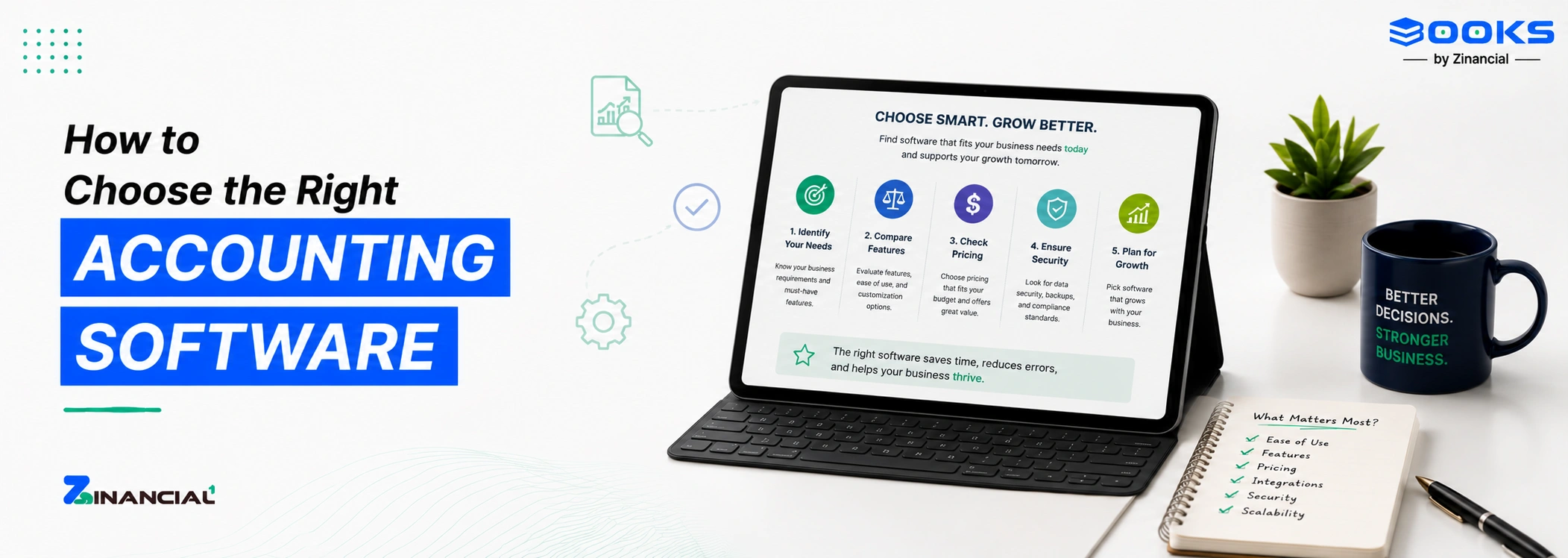
2. Evaluate and Choose the Right Software
Choosing software is not just a feature comparison exercise. It is about long-term fit.
Look deeper into:
- How easily the system adapts to your workflows
- Whether integrations are native or forced
- How intuitive the interface is for daily users
Ask vendors to demonstrate real scenarios:
Also check how often the product evolves. A system that does not improve will slow you down later. A smart choice reduces friction during software setup and simplifies future scaling.
3. Map Your Accounting Processes
This is where you redesign, not replicate. Document every workflow step-by-step:
Then refine:
- Remove redundant approvals
- Automate repetitive entries
- Standardize processes across teams
Define ownership clearly by specifying who approves, who records, and who reviews.
A well-mapped process ensures your accounting software setup checklist translates into a system that actually works in real scenarios.
4. Prepare Your Data
Most implementation issues trace back to poor data.
Before migration:
- Standardize chart of accounts
Decide what historical data is necessary. Not everything needs to move.
Pay attention to:
- Ongoing accounting periods
Clean data ensures your software setup starts with accuracy, not confusion.
5. Design and Configure the System
Now you configure the system around your processes. This is where implementation often slows down. Instead of building everything from scratch, many businesses now prefer platforms like Zinancial Books that come with pre-structured workflows, making configuration faster and more predictable.
Set up:
Do this in a sandbox environment first. Test before going live. Avoid over-customization. It often creates long-term maintenance issues. Document configurations clearly. This helps future updates and troubleshooting.
6. Execute Data Migration
Migration needs precision, not speed.
Follow a phased approach:
Always reconcile:
Collaborate closely between finance and IT teams. Both perspectives matter here. A clean migration protects the integrity of your entire accounting software implementation.
7. Test the System and Train Users
Testing should mirror real business activity.
Run:
- Transaction-level testing
- Parallel runs with legacy systems
Simulate:
Once testing is stable, shift focus to onboarding.
Train users based on their roles:
Use a mix of:
Good training reduces dependency on support later.
8. Plan the Transition and Go-Live
A smooth go-live depends on preparation.
Define:
- Final data upload timeline
Schedule go-live during low activity periods to reduce risk.
Create a temporary response team to:
- Monitor system performance
- Handle issues in real time
A controlled go-live keeps your software setup stable from day one.
9. Set Up Post-Implementation Support
Once the system is live, questions will come in. Set up a structured support model:
- Internal experts for quick help
- Implementation team for deeper issues
- Vendor support for technical problems
Track issues using a simple system:
Schedule regular check-ins to review system performance and user experience. Ongoing support plays a critical role after go-live. Platforms like Zinancial Books combine product support with workflow guidance, which helps teams move beyond basic usage to actual efficiency gains.
10. Focus on Continuous Improvement
Implementation does not end at go-live. Track performance using KPIs:
Review these regularly and refine workflows.
Also collect feedback from users:
- What can be automated further?
Small improvements over time create significant gains. That is how you maximize ROI from your accounting software implementation.
As businesses scale, their accounting needs evolve. Tools like Zinancial Books are designed to adapt alongside that growth, making it easier to refine processes without reworking the entire system.