Finance teams still spend hours entering invoice data. Vendor name, invoice number, totals, tax values. Every field typed manually increases processing time and the risk of error. This is where OCR AP automation changes the workflow.
OCR (Optical Character Recognition) converts invoices from paper, PDFs, or email attachments into machine-readable data. Instead of manually typing details, the system reads the invoice and extracts the information automatically.
In practice, AP OCR can reduce manual data entry by quite significantly. It captures invoice data instantly, routes it through approval workflows, and connects it to accounting systems.
For companies handling hundreds or thousands of invoices every month, accounts payable automation powered by OCR becomes the difference between slow bookkeeping and a scalable finance operation.
At its core, OCR in accounts payable workflow transforms invoices into structured data that software can process.
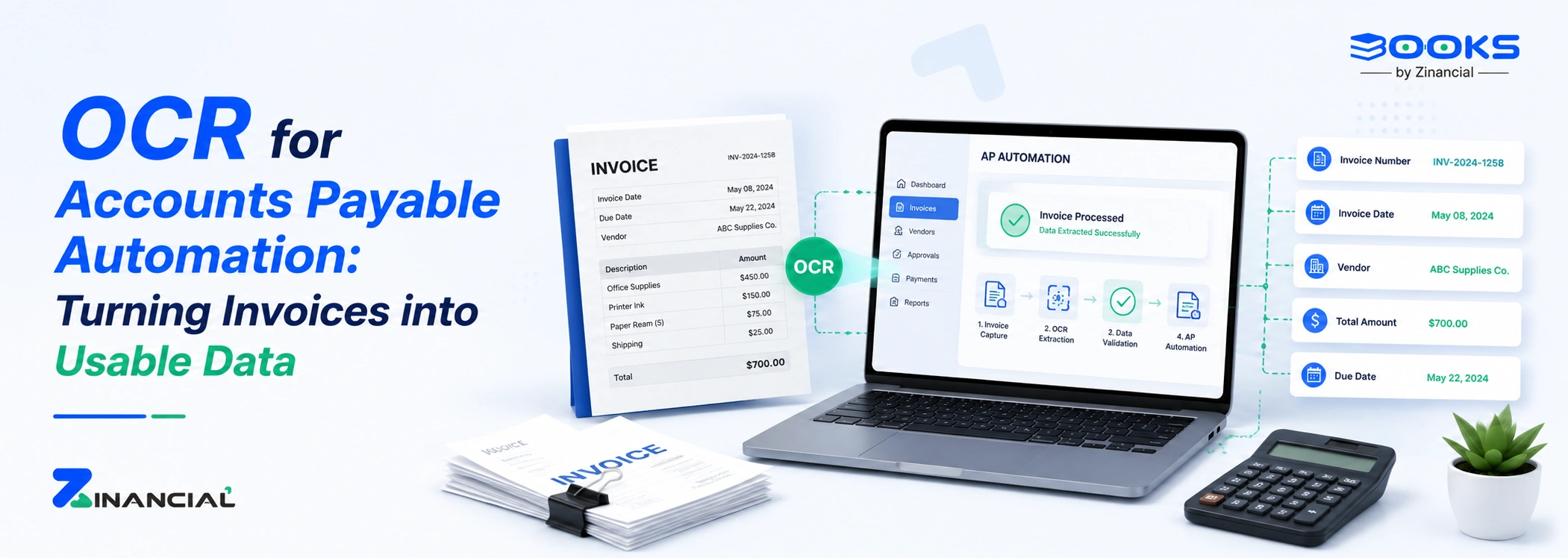
The process usually follows four steps.
1. Invoice capture
Invoices arrive through different channels. Email attachments, scanned documents, supplier portals, or PDFs.
OCR tools perform invoice smart bill capture, scanning the document and identifying text fields. The system detects information like vendor name, invoice number, invoice date, and payment totals.
2. Data extraction
Once the document is scanned, AP OCR extracts structured data fields from the invoice.
Typical data points include:
- Vendor name
- Invoice number
- Invoice date
- Line items
- Tax values
- Total payable amount
This extracted information becomes machine-readable data.
3. Workflow automation
After extraction, the data flows into accounts payable automation systems or ERP platforms such as:
- NetSuite
- Microsoft Dynamics 365
- Bill.com
Approval workflows start automatically. Managers receive notifications, invoices move through verification stages, and payment authorization becomes structured and trackable.
4. Matching and validation
The system performs automated checks such as three-way matching between:
- Purchase orders
- Goods receipts
- Vendor invoices
If values match, the invoice proceeds to payment approval. If not, the system flags discrepancies. This is the backbone of OCR AP automation.
Modern accounting platforms already integrate OCR into their AP processes. For example, Zinancial Books automatically performs invoice capture, extracts key invoice fields, and routes the data into approval workflows without manual entry.